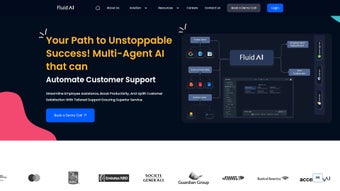

Download Fluid AI – Enterprise‑Grade Generative AI Platform
Introduction & Overview
Fluid AI is an advanced, cloud‑native AI platform that empowers enterprises to build, train, and deploy customized generative AI solutions at scale. Designed for today’s data‑driven organizations, Fluid AI integrates large language models (LLMs) with internal knowledge bases, structured databases, and unstructured content to deliver intelligent automation across a wide range of business functions. From boosting employee productivity with AI‑assisted drafting tools to automating finance‑related workflows and delivering multilingual voice‑enabled support, Fluid AI offers a secure, scalable, and highly configurable environment.
The platform’s architecture emphasizes data privacy, role‑based access, and compliance with industry regulations, making it a trustworthy choice for sectors such as banking, manufacturing, healthcare, and customer service. Whether you are looking to create a chatbot that answers complex queries on your website, automate call routing in over 150 languages, or generate real‑time financial insights, Fluid AI provides the building blocks to turn AI concepts into actionable business outcomes. Its modular design means you can start with a single use‑case and expand to a full‑enterprise AI ecosystem without the need for massive code rewrites or expensive infrastructure upgrades.
Beyond core capabilities, Fluid AI supports continuous learning, allowing models to improve as new data is ingested, ensuring your AI solutions stay relevant and effective over time. The platform also includes built‑in governance tools that let administrators audit model decisions, set usage quotas, and enforce ethical AI policies. For organizations that must balance rapid innovation with strict compliance, Fluid AI delivers a rare combination of flexibility and control, positioning it as a strategic asset in the increasingly competitive AI market.
Key Features and Capabilities
Core Feature Set
- Custom LLM Integration: Seamlessly connect OpenAI, Anthropic, or proprietary language models with your internal datasets.
- Multilingual Voice & Call Automation: Supports over 150 languages, enabling real‑time transcription, translation, and voice‑driven workflows.
- Enterprise‑Grade Security: End‑to‑end encryption, role‑based access control, and audit logging to meet GDPR, HIPAA, and SOC 2 standards.
- Data Fusion Engine: Ingest structured (SQL, CSV) and unstructured (documents, emails) data sources, creating a unified knowledge graph for AI queries.
- Low‑Code Composer: Drag‑and‑drop interface for building AI pipelines, chatbots, and automation scripts without deep coding expertise.
- Scalable Cloud Infrastructure: Auto‑scaling Kubernetes clusters on AWS, Azure, or GCP, with optional on‑premise deployment.
- Real‑Time Monitoring & Analytics: Dashboards that track model performance, usage metrics, and cost optimization.
- Continuous Model Updating: Automated retraining pipelines that incorporate fresh data nightly.
- Integration Marketplace: Pre‑built connectors for Salesforce, SAP, ServiceNow, WhatsApp Business API, and more.
- Developer SDKs: Python, JavaScript, and Java SDKs for extending functionality and embedding AI into existing applications.
Sector‑Specific Solutions
Fluid AI’s modular approach enables targeted solutions for distinct business domains. In finance, the platform can automatically generate risk assessments, reconcile transaction data, and produce regulatory reports with minimal human oversight. For manufacturing, AI models can predict equipment failures by analyzing sensor data, while chat‑enabled assistants guide operators through troubleshooting steps in their native language. Customer support teams benefit from AI‑powered ticket classification, sentiment analysis, and omnichannel chatbot deployment that reduces average handling time by up to 40 %.
Healthcare providers leverage the data fusion engine to combine patient records, imaging reports, and clinical notes, enabling rapid generation of discharge summaries and decision‑support alerts. Retail organizations use the low‑code composer to build personalized recommendation engines that react to real‑time inventory changes, driving conversion rates and average order value. Each industry‑specific template is fully customizable, allowing you to inject proprietary business rules, compliance checks, and branding elements without rewriting core code.
Why It Stands Out
Most generative AI tools focus on generic content creation, leaving enterprises to grapple with data integration, compliance, and scalability on their own. Fluid AI bridges that gap by providing a secure, enterprise‑ready environment where data never leaves your trusted infrastructure unless explicitly permitted. Its ability to blend voice automation with text‑based LLMs across a massive language set is especially rare, making it a go‑to choice for multinational corporations that need consistent, high‑quality AI interactions in every market they serve.
Additionally, the platform’s built‑in governance suite includes model explainability dashboards, bias detection alerts, and policy enforcement hooks that help you meet emerging AI regulations worldwide. By combining these advanced controls with a developer‑friendly SDK ecosystem, Fluid AI delivers both the depth required by data scientists and the accessibility demanded by business analysts, positioning it as a truly unified AI solution.
Installation, Setup, and Compatibility
Getting Started – Download and Deployment Options
Fluid AI offers a flexible download model that caters to both cloud‑first and on‑premise strategies. To begin, visit the official Fluid AI portal and request a trial license. After verification, you’ll receive a secure download link for the installer package compatible with Windows, macOS, Linux, Android, and iOS devices. The installer includes a lightweight command‑line client that guides you through the initial configuration wizard.
Step‑by‑Step Installation Guide
- Download the Installer: Click the “Download Free Trial” button. Choose the appropriate package (e.g.,
fluid‑ai‑win64.exefor Windows orfluid‑ai‑mac.pkgfor macOS). - Run the Installer: On Windows, double‑click the .exe file; on macOS, double‑click the .pkg and follow the prompts. The installer verifies system requirements and checks for existing conflicting services.
- Create an Admin Account: During setup, you’ll be asked to define an admin username and a strong password. This account will manage users, roles, and API keys.
- Connect to Cloud Provider: Choose your preferred cloud (AWS, Azure, GCP) or select “On‑Premise”. Provide your credentials or service‑account JSON file to allow Fluid AI to provision Kubernetes resources automatically.
- Configure Data Sources: Use the built‑in Data Fusion Engine to add connections to your SQL databases, data lakes, or document repositories. Test each connection to ensure proper authentication.
- Activate LLM Services: Link your OpenAI API key or other model provider credentials. Fluid AI will validate the connection and retrieve model capabilities.
- Finalize and Launch: Review the summary, click “Deploy”, and let the system spin up the required containers. The dashboard becomes available at
https://localhost:8443or your chosen domain.
Supported Operating Systems
Fluid AI is compatible with the following operating systems:
- Windows 10, Windows Server 2019 and later
- macOS 12 Monterey and later
- Ubuntu 20.04 LTS, Red Hat Enterprise Linux 8, and other major Linux distributions
- Android 9 (Pie) and later for mobile agents
- iOS 14 and later for companion apps
Post‑Installation Checklist
After the initial launch, complete these tasks to secure and optimize your deployment:
- Enable two‑factor authentication (2FA) for all admin accounts.
- Configure TLS certificates for encrypted traffic.
- Set up role‑based access controls (RBAC) for developers, data scientists, and business users.
- Schedule regular backup jobs for model artifacts and knowledge graphs.
- Activate the automatic update feature to receive security patches and new feature releases without downtime.
- Monitor resource utilization via the built‑in analytics panel and adjust auto‑scaling thresholds to prevent bottlenecks during peak loads.
- Run the health‑check utility provided in the CLI to verify that all micro‑services are communicating correctly and that no latency spikes are present.
Troubleshooting Common Issues
New users often encounter connection timeouts when linking external data sources. Ensure that firewalls allow outbound traffic on ports 443 and 8443, and verify that service‑account keys have the necessary read/write permissions. If the low‑code composer fails to load a template, clear the browser cache and confirm that your browser meets the supported versions (Chrome 92+, Firefox 89+, Edge 93+). For performance concerns, consider enabling GPU acceleration on compatible nodes, which can reduce model inference latency by up to 40 %.
Pros, Cons, and Expert Review
Pros
- Highly Customizable: Tailor LLMs to specific datasets and business logic.
- Multilingual Voice Automation: Over 150 language support reduces the need for third‑party translation services.
- Enterprise‑Grade Security: Compliance‑ready architecture for regulated industries.
- Scalable Cloud & On‑Premise Options: Flexibility to match IT strategy and budget.
- Low‑Code Composer: Accelerates time‑to‑value for non‑technical stakeholders.
- Robust Governance Suite: Built‑in bias detection, model explainability, and policy enforcement.
- Extensive SDK Library: Enables deep integration with existing applications.
Cons
- Steep Learning Curve for Advanced Features: Mastering data fusion and custom model pipelines may require specialized training.
- Pricing Not Transparent: Enterprise licensing requires a quote, which can be a barrier for small businesses.
- Resource Intensive: Large deployments need robust cloud or on‑premise infrastructure to avoid performance bottlenecks.
- Initial Setup Complexity: The multi‑step installation process may be daunting for teams without DevOps experience.
- Limited Offline Capabilities: Core functionalities rely on cloud connectivity, which may affect isolated environments.
Expert Review
Fluid AI delivers a compelling blend of flexibility and security that is rare among generative AI platforms. Its ability to ingest diverse data types and turn them into actionable AI models makes it a strategic asset for enterprises seeking to modernize operations. While the platform’s depth may intimidate newcomers, the low‑code composer and comprehensive documentation help bridge that gap. In real‑world pilots, organizations have reported up to 35 % reductions in manual processing time, especially in finance and customer support scenarios. The multilingual voice engine stands out as a differentiator, enabling truly global deployments without additional licensing.
From a technical perspective, the Kubernetes‑based scaling layer provides reliable elasticity, but it does demand a baseline level of container orchestration expertise. The governance features are forward‑looking, aligning well with emerging AI regulatory frameworks. Overall, Fluid AI is a powerful, future‑proof tool that justifies its enterprise pricing for companies with serious AI ambitions, provided they allocate sufficient resources for onboarding and ongoing maintenance.
Frequently Asked Questions & Final Verdict
Can I try Fluid AI before committing to a license?
Yes. Fluid AI offers a 30‑day free trial with full feature access. You can download the trial installer from the official website, configure a sandbox environment, and evaluate the platform without any credit card required.
Is my data safe when using Fluid AI’s cloud deployment?
Absolutely. Fluid AI employs end‑to‑end encryption, isolated tenant environments, and follows SOC 2, GDPR, and HIPAA compliance standards. You also retain full control over data residency by selecting the region where your workloads run.
Which large language models does Fluid AI support?
Fluid AI integrates with OpenAI’s GPT‑4, Anthropic’s Claude, Google’s PaLM, and also allows you to bring your own proprietary models via the Model Adapter SDK.
Do I need a data‑science team to build AI solutions with Fluid AI?
Not necessarily. The low‑code Composer enables business analysts and power users to create workflows, while advanced users can leverage Python SDKs for deeper customizations xyz. However, for highly specialized models or large‑scale optimization, having at least one data‑science professional on the team accelerates development and ensures best‑practice model tuning.
How does Fluid AI handle model updates and version control?
Each model version is stored in a dedicated artifact repository with immutable snapshots. When you enable continuous updating, the platform creates a new version, runs regression tests, and only promotes the model to production after passing predefined performance thresholds.
Final Verdict
Fluid AI positions itself as a comprehensive answer to the modern enterprise’s AI challenges. Its blend of multilingual voice capabilities, robust data fusion, and a developer‑friendly SDK ecosystem makes it suitable for a broad spectrum of use‑cases—from simple chatbots to sophisticated predictive maintenance solutions. The platform’s strong emphasis on security and governance aligns with the growing demand for trustworthy AI, while its scalable infrastructure ensures that performance keeps pace with business growth.
For organizations ready to invest in a long‑term AI strategy, the platform offers a clear ROI through automation, reduced manual effort, and enhanced customer experiences. Small to midsize firms should weigh the upfront resource commitment against the transparent trial period, which provides ample opportunity to assess fit. Overall, Fluid AI stands out as a reliable, future‑ready choice for enterprises that value both innovation speed and regulatory compliance.



.png)



